Future of Game Dev
Game Engines in the Age of AI-Based Game Development
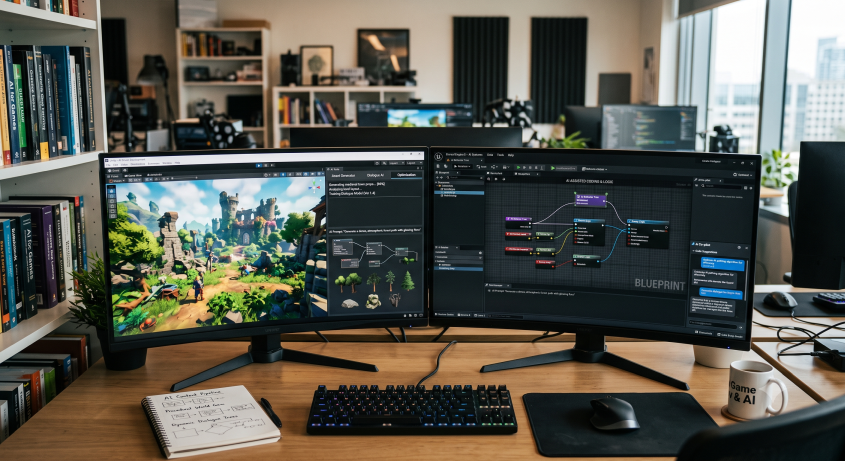
AI changes how we should think about game engines.
Until now, we usually asked: which engine has the best ecosystem, tooling, platform support, SDKs, and developer base?
For mobile games, the answer was obvious: Unity.
Unity still dominates commercial mobile game development. It has the SDKs, ad networks, analytics tools, IAP integrations, attribution tools, plugins, asset store, tutorials, and production experience. For years, it has been the default choice.
Personally, I have worked with Unity for most of my career, and most of the published games I was involved with were Unity-based. Like almost everyone in the industry, I am comfortable working in Unity.
But that becomes much less relevant the moment the work shifts from human-driven development to AI-driven development.
When AI agents do a large part of the development work, the real question becomes:
Which engine can an AI work with cleanly, quickly, and autonomously?
From that point of view, the picture changes.
Unity: strong ecosystem, weak AI fit
Unity’s biggest advantage is its ecosystem.
Its biggest weakness is that no one designed it for autonomous AI development. It is an editor-state engine.
The main problems are:
- Unity is an editor-state engine A lot of the project’s real state lives inside the Unity Editor, the Inspector, serialized files, asset metadata, GUIDs, and editor-generated references. AI works best when it can inspect and edit clear files. Unity relies heavily on editor behavior that an LLM cannot always see or safely modify directly.
- Unity’s serialized formats are fragile Unity does not become AI-friendly just because some files are text. Its serialized YAML is Unity-specific, fragile, tied to editor and import behavior, and a bad direct-editing surface for LLMs. It is not simple like JSON, XML, or normal config files. A small mistake can break scenes, prefabs, or assets.
- Asset references create risk
Many asset, scene, prefab, import, and reference changes depend on Unity’s
.metafiles, GUIDs, and editor import pipeline. If the AI mishandles them, it can break the project in ways that are hard to diagnose and repair. - The editor still sits in the middle Even with MCP tools, the Unity Editor often needs to stay open and running. The MCP bridges the AI agent into Unity, but it does not remove Unity’s dependency on the editor. In real editor-driven MCP workflows, Unity can still get stuck on editor state, scripting-thread issues, reloads, dialogs, focus-sensitive interactions, or plugin behavior. Whether Unity causes it or the MCP layer causes it almost does not matter: the practical result is a fragile AI loop.
- Headless, server, and parallel workflows remain weak Unity can technically run in batch and headless/no-graphics modes. Technically, yes. Practically, not really. Compared to Godot, Unity remains a heavy, slow, bloated, editor-centered, license-sensitive automation target. It does not naturally run many lightweight headless instances, locally or on a server. Server builds usually demand heavier machines and more licensing attention. Running several Unity instances in parallel is practically impossible: a single instance is already slow and heavy, and running more than one in parallel will bring your productivity close to zero. Especially when other engines like Godot do this effortlessly.
- Unity is slower Unity loads slowly, reloads everything every time, refreshes slowly, compiles slowly, and runs slowly. Did I mention the word slowly? Not enough. AI development is already not the fastest thing if you work with frontier models, so Unity adds more friction to every iteration. If you do not feel Unity is slow, you either run it on a super-high-end device or you have not seen any other game engine in years.
This is why Unity feels so bad for autonomous AI development.
Unity was built around a human developer sitting inside the editor. That workflow can work for traditional development. It works much worse when an AI agent tries to inspect files, modify them, run the project, fix errors, and iterate automatically.
This is the basic loop when working with AI development:
Human-AI Feedback → plan → generate files → run in engine → test → errors → fix bugs/params → (repeat)
Unity makes that loop heavier and slower.
This may also explain why Unity itself keeps struggling to deliver a truly good AI solution inside the engine. The problem probably does not sit only in the AI layer. The deeper issue is the engine architecture. Even external plugins (I personally had a positive experience with Bezi) only improve on the problem but doesn’t solve it.
Without a major architectural change, I do not think this improves enough. Unity would need to become less editor-dependent, more text-transparent, easier to run headlessly, easier to automate, less dependent on hidden state, safer for LLMs to edit directly, and faster to load, refresh, and build.
The future is probably not just “an AI assistant inside Unity.” The future is an AI development loop around the whole project, with CLI tools leading the automation.
That is not a small feature update. That is a deep architectural change.
Godot: weaker ecosystem, much better AI fit
Godot used to be a small engine with a passionate but limited community. It was not the obvious choice for commercial mobile development, and it still does not have Unity’s ecosystem.
But Godot has major advantages for AI-based development:
- It is open, lighter, and more transparent. Godot is open source. Its project files are more textual and understandable, and AI models can inspect and modify them more easily.
- It is much easier to automate. Godot runs headlessly more easily, works better on servers, and handles multiple parallel instances much better.
- Iteration is faster. With the same AI model, Godot workflows move much faster than Unity workflows. The agent can edit files, run the project, test behavior, and keep iterating without constantly fighting the editor.
In my own experience, for simple games it may even be faster to build the first version in Godot and later ask the AI to convert it to Unity, instead of developing directly in Unity from the start.
That sounds strange from a traditional game development perspective, but it makes sense in an AI workflow. Code generation is not the only bottleneck. The full loop between the AI agent, the project files, the engine, the runtime, and the error-fixing cycle matters more. All the iterations are way faster.
Godot makes that loop much cleaner.
Godot’s biggest weakness is still the commercial ecosystem. It does not yet have Unity’s level of mobile ads SDKs, IAP integrations, analytics, attribution, mediation, production-ready third-party tools, commercial mobile knowledge, or asset store depth.
But this is fixable weakness. Developers can build the tools, integrate the SDKs, and grow the ecosystem. I am already working on some of these things myself.
Web engines: great for AI, weak as a business platform
Three.js, Phaser, and other web engines used to be fairly niche for serious game development. People used them for web games, prototypes, creative coding, interactive demos, and visual experiments, but rarely treated them as serious alternatives to Unity for commercial mobile games.
AI makes them much more interesting.
Web engines fit AI workflows very well because projects are mostly text-based, lightweight, fast to run, easy to deploy, and easy for LLMs to understand. JavaScript, TypeScript, JSON, HTML, CSS, and browser workflows are all very accessible to AI models. You do not need a massive editor or a heavy build pipeline. You can run the game in the browser, inspect it, change it, reload it, and keep moving.
This is why we now see an explosion of impressive AI-generated web games, animations, and interactive experiences. A Game Jam with 1000 entries, many of them visually impressive. The workflow is clean and fast.
But web engines have a different problem:
The web is still not a great standalone commercial game platform.
There are not enough paying users and ads do not generate as much as in the past (plus it’s much harder to fit ads to guest audience on the web). Without solving the commercial side
So web engines work very well for prototypes, demos, fast experiments, playable concepts, AI-generated visuals, instant sharing, and web-first experiences. But for a serious commercial game, especially a mobile game, web alone is usually not enough.
If the target is web plus mobile, or web plus other platforms, this becomes more interesting. But at that point you still need a real production pipeline, and probably a proper engine strategy around Unity, Godot, or a web-to-mobile stack that is actually production-ready. Basically, it is way better to develop on a proper engine and produce both a mobile build and a web build than to prepare a Three.js/Phaser version of the game for web.
Today vs Tomorrow
AI changes the picture when looking forward on game development.
The next generation of game development will depend heavily on engines that AI can work with directly, safely, and repeatedly. That means engines that are open, textual, lightweight, automatable, server-friendly, and not dependent on a heavy editor holding the real state of the project.
On that axis, Godot is in a much better position than Unity.
Unity may remain dominant for a while because of its ecosystem. But unless it goes through a serious architectural change, I do not see it as the best game engine for the AI-native future.
Godot mostly still needs to grow its ecosystem.
Unity needs to change its architecture.
I think Godot has the easier problem.
Additional notes:
To give some context, this is where my experience comes from:
Like many, I am developing and using a Claude Code/Codex harness for building commercial games, for internal use only. It covers both Unity and Godot, and I use web engines like Three.js with or without Rapier, and Phaser, for prototyping many new ideas quickly.
The Unity stack includes my own harness, Ivan Murzak’s Unity MCP, and Unity 6. So far, Ivan Murzak’s MCP is the best Unity MCP I have tested, and I keep testing others. I also developed a wrapper around the MCP to make the CLI stronger and faster. I also use the Figma MCP and my own Unity and Figma skills to manage UI/gameplay for games with many screens and popups.
My Godot setup includes my own Godot knowledge base for code and effects, focused on Godot 4+ since LLMs are usually trained on Godot 3 code. I also use GoPeak Godot MCP to work effectively with the engine. The difference between Unity and Godot is very clear in practice: I hardly open the Godot editor manually.
I do not work with Unreal Engine, and never have, so I specifically do not touch on it in this article.
Further reading
- AI Coding Tools for Video Game Development: A First-Principles Analysis of What Actually Works — Chier Hu
- Why AI Writes Better Game Code in Godot Than in Unity — DEV Community
- Unity AI’s Open Beta Now Live for Unity 6 — Unity Discussions
- Request for Official Clarification: Unity MCP Access, Subscription Requirements, and Future Policy — Unity Discussions